
Facebook has gone from being a great place to have your Nan publicly express disappointment with your life choices to a video-heavy social network where a staggering 500 million people watch over 100 million hours of Facebook video every day.
That's all well and good if you're choosing to watch these videos, but thanks to the autoplay function you'll often find yourself watching a quick burst of video when all you really want to do is catch up on the latest news from your friends.
It's not just a bit of a nuisance either. If you're on a mobile plan with a low data allowance, autoplay videos can waste a chunk of that data while you're filling in time on the daily commute. Finally, you'll have fewer advertising and dubious news stories blasted at you and that's never a bad thing.
You can give this annoying and expensive feature the flick pretty easily. Here's how to keep Facebook from autoplaying videos when you're on your mobile device.
Android
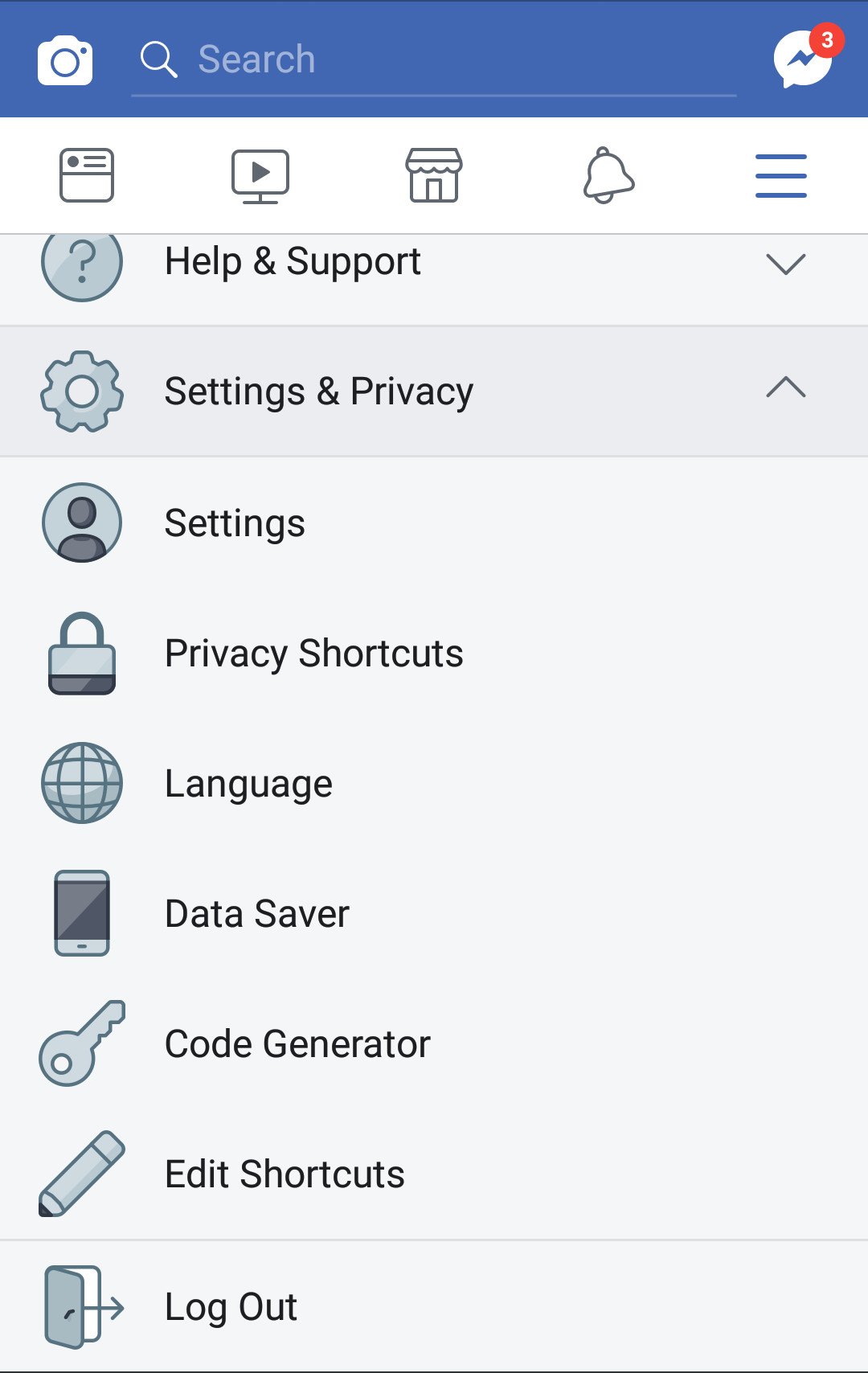
Open up the Facebook app and go to the Menu, indicated by the three parallel horizontal lines.
Scroll down a little and find the Settings & Privacy option, with the stylised cog as the icon. After tapping it, the first option should be Settings, which will take you to a new screen.
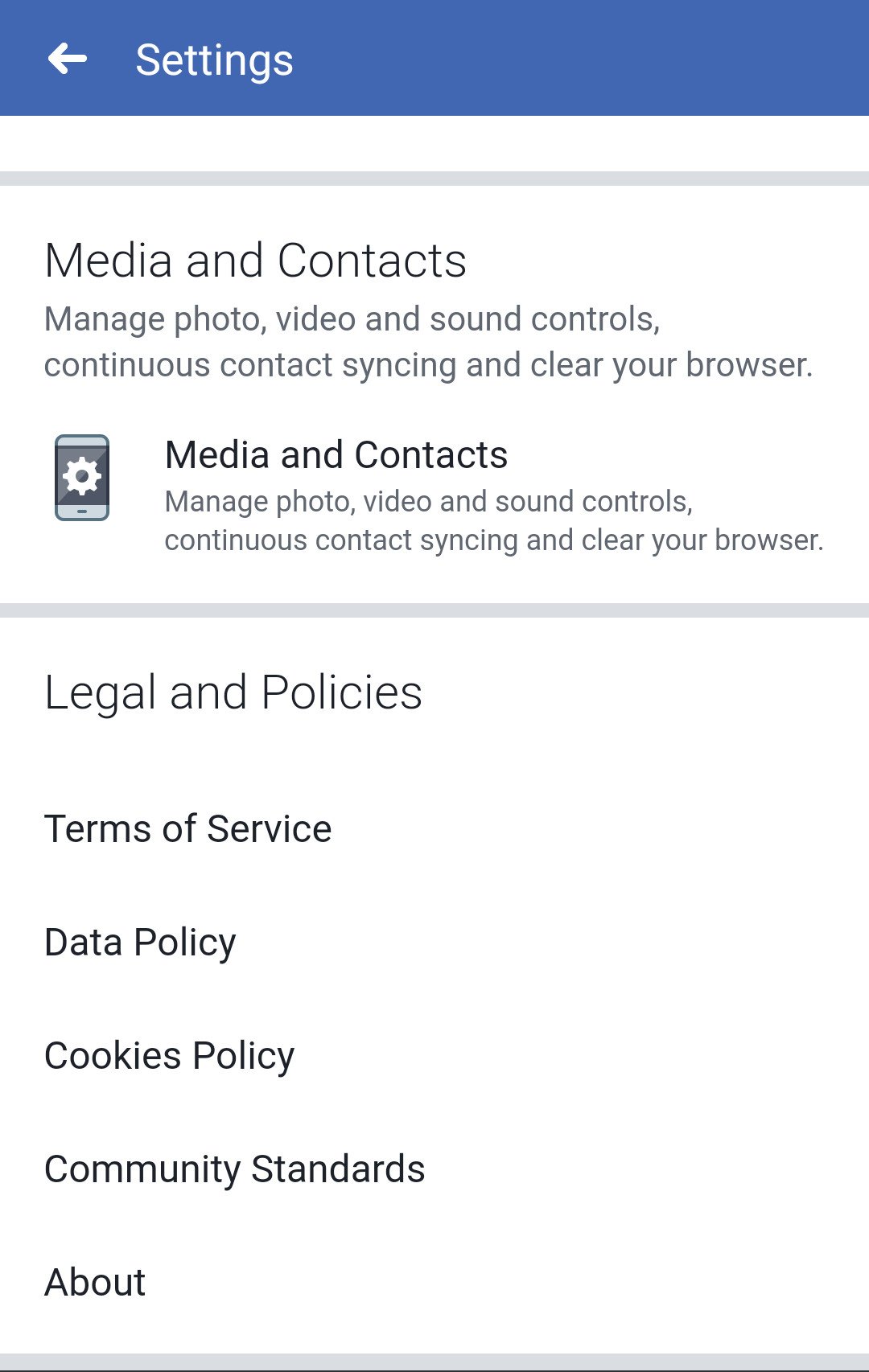
Scroll down the Settings screen until you find the Media and Contacts section. Tap through to open up another new screen.
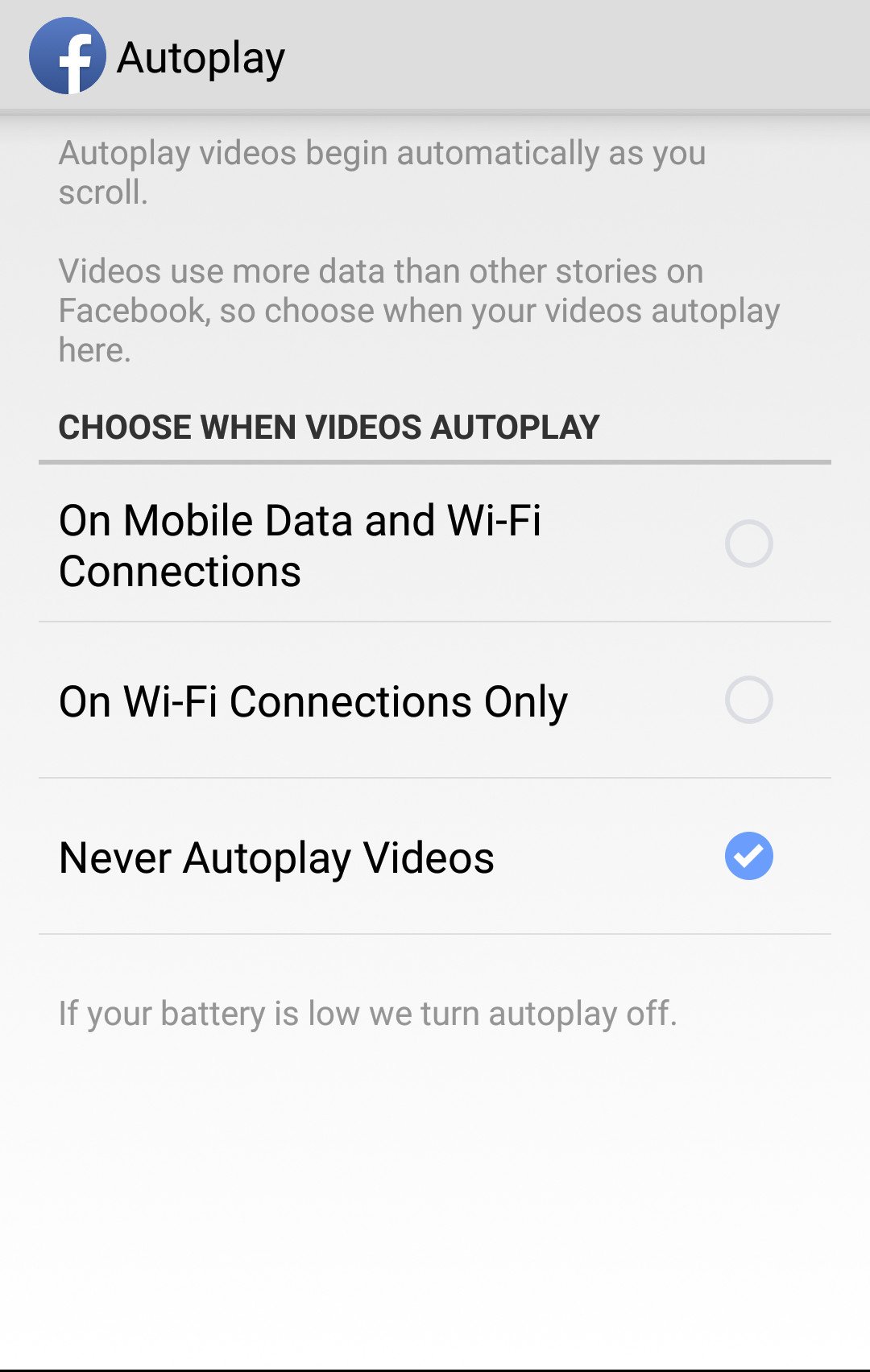
Here you'll find the Autoplay option. Tap it and you'll be able to choose between videos autoplaying on both Wi-Fi and mobile data connections, just Wi-Fi, or never autoplaying at all.

Pick the option you want (presumably "Never Autoplay Videos") and make sure the blue checkmark is ticked beside it.
That's it – blow a kiss goodbye to autoplay vids on your Android phone.
Data woes persisting even after disabling autoplay? You might to consider upgrading to a new mobile plan.
Apple iOS
The process is quite similar if you're over on the Apple iOS platform.
Once again open the app and find the three lines to get into the menu.
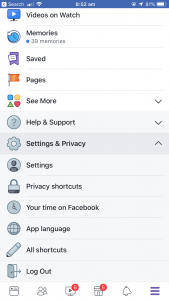
Go to Settings, then scroll down to the "Media and contacts" section.
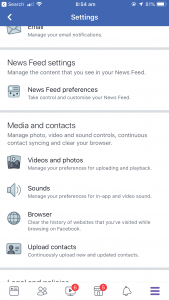
Open the Videos and Photos option.
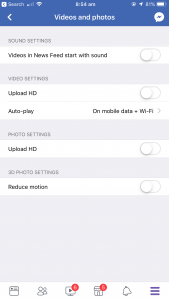
In there, find Autoplay and choose your desired option.
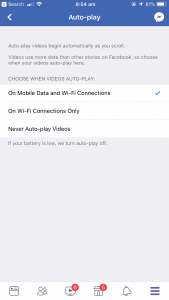
With that done on either Android or iOS, you can rest assured that only the videos you choose to watch will be making their way into your eyeballs.
Still running low on data? Consider upgrading to one of the data-packed mobile plans below:
More resources on Finder
More guides on Finder Shopping
-
Best iPhone deals available online in Australia March 2026
Here's a comprehensive run-down of the best iPhone deals you can get right now in Australia.
-
The best budget phones in Australia for 2026
Our expert team has tested hundreds of mobile phones to find the 11 best options under $500.
-
Best dual SIM phones in Australia
If you’re looking to run multiple phone numbers from just one handset, we’ve got the best picks for every price bracket and need.
-
Best flip phones in Australia 2026
These are the 4 best flip phones you can buy right now in Australia.
-
The best Android phones of 2026
We've spent the time comparing Android phones to find out which is the best one you can buy in Australia in 2023.
-
Camera Shootout: Galaxy S10+ vs iPhone XS Max vs Huawei P30 Pro vs Huawei Mate 20 Pro vs Pixel 3
We hit the streets of Paris and Sydney to find the low light camera king, with surprising results.
-
Which phones have wireless charging?
Everything you need to know about wireless charging and the phones that support this super-convenient way to keep the power flowing to your handset.
-
Top sites to buy mobile phones online
See the online stores offering an unrivalled selection of mobile phone models.
-
What resolution does my phone camera actually need?
Not sure what resolution you need on your phone's camera? This guide explains the features you really need to check on your smartphone.
-
The 10 best phones in Australia 2026
We've ranked the top 10 smartphones you can buy in Australia right now based on hundreds of hours of hands-on testing.