Top Pick for
Most loved


Top Pick for
Most loved
Top Pick for
Most trusted
Top Pick for
Most recommended

Top Pick for
Top Value
Buying a new TV is a massive investment. Instead of relying on a single reviewer's opinion, we surveyed thousands of Australians to find out which brands they actually trust, love, and recommend.
Based on the 2025 Finder Retail Awards, here is how Australian consumers rated the top TV brands across the five key decision categories.
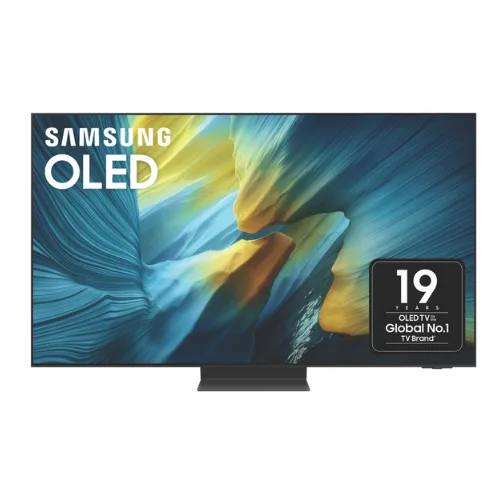
This category measures overall customer satisfaction and emotional connection to the brand. It answers the question: "Do you love this product?"
Samsung takes the top spot for customer satisfaction. Owners consistently praised the brand for its picture quality and how easily it integrates with soundbars and phones.
Popular models:
We asked Australians which brand they trust most to deliver reliability and longevity without technical faults.
Reliability is key when buying a TV, and Samsung proved to be the most trusted name in Australian households, beating out legacy Japanese brands.
Reliable picks:
This score is based on the percentage of owners who would actively recommend their TV brand to a friend or family member.
An incredible 97% of Samsung television owners surveyed said they would recommend the brand.
Most talked about models:
This category balances the price paid against the performance received to find the best "Bang for Buck."
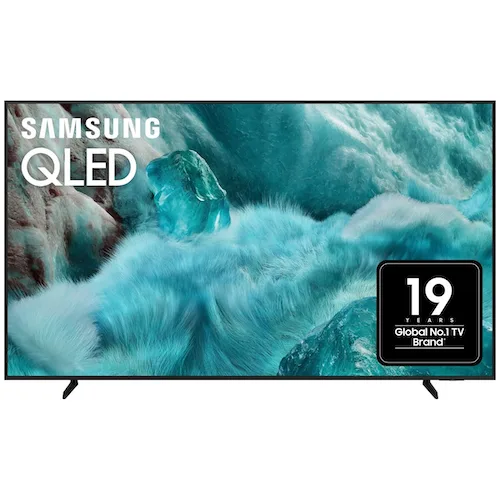
Samsung may be considered by many as a premium TV brand, but the company's massive range of price points, from entry-level Crystal UHD to premium Neo QLED, secured the win.
Best value models:
This category rates the build quality, picture fidelity, and sound performance.
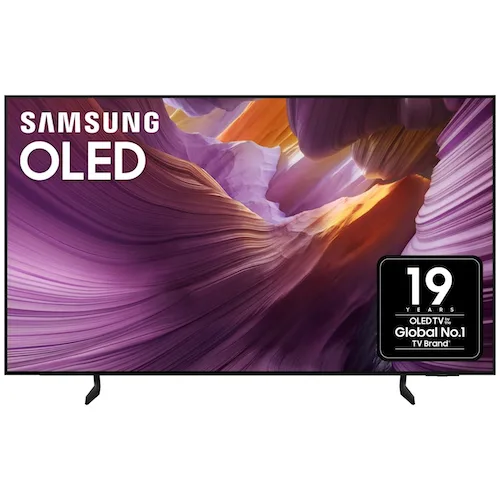
Completing the clean sweep, Samsung takes out the award for quality. Their Neo QLED and OLED panels offer market-leading brightness and vibrancy.
Highest quality models:
 The Good Guys
TV sale starting from just $245
Shop, save and get great deals when you buy a TV online at The Good Guys. Choose from across leading brands such as Samsung, LG, Hisense, Panasonic and Sony. T&Cs apply.
 Appliances Online
39% off Samsung 65 Inch S85F OLED 4K Smart AI TV
Experience cinematic brilliance with the Samsung 65-inch S85F OLED 4K Smart AI TV, now available at a jaw-dropping 39% off from Appliances Online. Powered by the NQ4 AI Gen2 Processor, it delivers stunning visuals, immersive sound, and intelligent features like Adaptive Sound Pro and Vision AI for a truly next-gen home entertainment upgrade. Limited time offer and while stocks last. T&Cs apply.
Appliances Online
Up to 60% Off Clearance at Appliances Online
Score unbeatable deals with up to 60% off clearance items at Appliances Online - featuring top-brand fridges, washers, TVs, and more. Whether you're upgrading your home or grabbing a last-minute bargain, this is your chance to save big while stocks last. Limited time offer and while stocks last. T&Cs apply.
 Kogan
Kogan
Up to 65% off TVs & home theatres
Upgrade your entertainment setup with up to 65% off TVs and home theatres at Kogan. Don’t miss this limited-time deal to bring cinematic experiences right into your living room. T&Cs apply.
Appliances Online
Up to 74% Off TVs, Audio, & Electronics at Appliances Online
Score unbeatable entertainment upgrades. Appliances Online is offering up to 74% off TVs, audio, and electronics. Elevate your home setup with cutting-edge technology at prices too good to miss. Valid for a limited time only. T&Cs apply.
The Good Guys
$100 off Hisense 50-inch Q6QAU 4K QLED Smart TV 2025: $695
Cinematic brilliance, the 2025 Hisense 50-inch Q6QAU 4K QLED Smart TV - available now at The Good Guys Australia. Dive into ultra-rich colours and smart streaming that turns every viewing into a show-stopping experience. Limited time offer. T&Cs apply.
 13
13 60,000+
 5
5For this list, we relied on data from the Finder Retail Awards. We collected data from over 60,000 Australians for the Finder Awards program. For the TV category, we analysed detailed feedback from over 2,000 qualified TV owners.
We asked customers to rate brands on metrics like:
When considering how much to spend on a new television, it's important to understand your viewing needs. What type of content do you intend to play? What size screen would be sufficient? Which devices are you likely to connect to your TV?
Here are some important features to consider:
Larger screens are ideal for family viewing in a lounge setting, while smaller size screens are better suited to bedrooms. The closer you sit to your TV, the more you'll notice pixelation. However, high-quality 4K displays allow you to sit closer without compromising quality.
Many manufacturers are opting to meet the demand for thinner, lighter displays, reducing the amount of available space for speakers. This means that for many TV buyers, soundbars are an essential accessory.
Most new televisions are equipped with smart TV interfaces that allow users to access streaming video platforms including Netflix, Stan and Disney Plus. The specific services you'll have access to depends on the TV brand and the country you live in.
Wall mounting can offer a more optimal and comfortable line of sight for extended viewing and allow for more space, potentially eliminating the need for a TV cabinet. Most modern TVs are designed to be wall-mounted and often come with mounting brackets in the box. However, this isn't always the case, so make sure you check before you buy.
All TVs should come with a remote control. Look at all the user controls the remote offers, check if the buttons are big enough, find out if it's backlit for night-time use and determine if it's easy to use, particularly for children. If not, you could buy a separate universal remote that better suits your needs.
If you want to be able to connect your TV to your computer, gaming systems or other devices, check to see how many HDMI ports your TV offers. Also keep in mind that the location of the ports may affect your TV set-up, as ports that stick out from the back are difficult to access when a TV is wall-mounted. For high-performance gaming, you want to make sure the TV supports the most recent HDMI standard as well.
Some TVs offer built-in access to Amazon's Alexa, Apple's Siri or Google Assistant so that you can control your smart home using your TV or control your TV using a smart speaker.
These types of screens promised an enhanced sense of depth and improved immersion, given the way they wrap around your line of sight. Curved TVs look futuristic, but the curve can amplify reflections, limit viewing angles and be awkward to mount. They also need to be quite large in order to be effective. Today, they are difficult to find.
The success of the film Avatar, released in 2009, sparked a demand for in-home 3D TV experiences. While many modern TVs are capable of providing 3D viewing, this feature seems to have lost most of its appeal. 3D viewing usually requires the watcher to wear unique (and often uncomfortable) glasses.
Despite all the marketing terms used by different brands, the TV market is split into two main technologies: OLED (where pixels make their own light) and LCD/LED (where pixels are lit from behind). Of course, it's not quite that simple, so let's break it down further.
OLED was the only option in this category for a long time. But the introduction of MicroLED in 2025 made things a bit more complicated. Here's how the technologies differ.
Manufacturers often use unique marketing names for these technologies. Here is how to translate them:
| Feature | OLED / QD-OLED | Mini-LED (QLED) | MicroLED |
|---|---|---|---|
| How it works | Pixels create their own light | Thousands of tiny LEDs light up the screen from behind | Microscopic LEDs create their own light (no organic material) |
| Black Levels | Pixels turn off completely for true black | Very deep blacks, but you may see slight "halos" around bright objects | Like OLED, pixels turn off completely |
| Brightness | Getting brighter every year, but still dimmer than Mini-LED | The brightest TV tech available; ideal for sun-drenched rooms | Matches or exceeds Mini-LED brightness |
| Burn-in Risk | Static images left for hours can cause retention over many years | Immune to burn-in | Immune to burn-in |
| Price | Expensive, but prices are dropping | Good value; cheaper than OLED for big screen sizes | Currently costs as much as a luxury car |
| Best For | Movie lovers, dark rooms, and perfect contrast | Bright living rooms, HDR gaming, and daytime sports | Commercial use or ultra-luxury home theatres (for now) |
Almost every TV sold today is "smart," meaning it connects to Wi-Fi to run apps like Netflix, Disney+, and YouTube. However, the software that runs the TV makes a huge difference to your daily experience.
Some are fast and simple; others offer thousands of apps but can be cluttered. Here is the breakdown of the major platforms available in Australia.
Best for: People who want the biggest selection of apps and great content recommendations.
Formerly known as Android TV, Google TV is the standard operating system for Sony and TCL in Australia. It has the most comprehensive app store of any platform. If there is a niche streaming service, VPN, or media player (like Kodi or Plex) you want, Google TV will have it.
Best for: Gamers and households with Samsung smart devices.
Tizen is exclusive to Samsung. It features a "Gaming Hub" that allows you to stream Xbox games directly to the TV without a console (via Cloud Gaming). It also integrates deeply with "SmartThings," allowing your TV to control your lights, robotic vacuum, or fridge.
Best for: Ease of navigation (thanks to the Magic Remote).
webOS is exclusive to LG. Its defining feature is the "Magic Remote," which lets you point your remote cursor at the screen like a Nintendo Wii controller, making typing passwords and clicking icons much faster than standard remotes. LG recently introduced the "webOS Re:New" program, guaranteeing 5 years of software updates on new premium models.
Best for: Speed and simplicity.
While Hisense uses Google TV in other countries, Hisense Australia models use their own proprietary system called VIDAA. It is designed to be lightweight and lightning-fast, even on budget TVs. It supports all the major local apps (Netflix, Stan, Kayo, Binge, Disney+), but it lacks the niche apps found on Google TV.
If you buy a high-end TV today, the built-in software is usually powerful enough that you don't need an external box.
However, there are still reasons you might want a dedicated set-top box (like an Apple TV 4K, Google Chromecast, or Amazon Fire Stick):
Resolution refers to the number of pixels that your TV can display. A pixel is a small dot that, when illuminated, produces specific colours. If your TV has the capacity to hold a large number of pixels then images on the screen will generally appear in greater detail. Although resolution isn't the only attribute that affects picture quality, it does play a key role.
7,680 x 4,320 8K isn't widely available and won't have any greater impact on your viewing experience unless you have a significantly large screen.
| Pixels | Description | |
|---|---|---|
| Full HD | 1,920 x 1,080 | If you want to avoid purchasing a quickly dated TV set, it's best to opt for 4K resolution as this is now the current standard. |
| 4K or UHD | 3,840 x 2,160 | Most new TVs have 4K resolution, which is sometimes referred to as ultra high definition (UHD). Higher resolution can improve the viewing experience on larger screens. 4K TVs are usually compatible with high-dynamic range (HDR), which enhances a display's contrast ratio, making bright colours brighter and dark colours darker and providing greater image detail in the shades between these spectrums. |
| 8K | 7,680 x 4,320 | 8K isn't widely available and won't have any greater impact on your viewing experience unless you have a significantly large screen. |
A new TV can cost anywhere from a few hundred dollars to thousands of dollars, depending on the brand, model and technological capabilities. Knowing what you want is important.
Buying the most expensive TV doesn’t mean you’re going to get the best quality. Some features and functions come standard, while others aren’t yet necessary or applicable.
It also pays to understand whether your new TV comprises a complex or easy-to-use interface or menu. This is particularly helpful information if you have children, teenagers or older adults who may not understand intricate instructions.
After surveying 60,000 Australians, these are the best TV brands that offer the real 100-inch TV experience.
These TV sales are your chance to grab that new device you've been eyeing.
Our living rooms are more cinematic than ever, but are you better off purchasing a projector or a TV?
After surveying 60,000 Australians for the Finder Retail Awards, these are the best TV brands offering 55-inch TVs in Australia.
Get your entertainment fix with the 10 best 65-inch TVs you can get right now in Australia.
We surveyed over 60,000 Australians to discover the best brands in Australia, and these are the best smart TV brands.