





Error placeholder Click here to sign in
How did we pick this list?
Wi-Fi is an accepted part of everyone's lives now, but picking the best routers for everyone is a tricky business. For some users, it's going to be more than enough simply to have Wi-Fi coverage, especially in smaller homes, while others may need wide coverage, low latency, mobile broadband fallback or specific security-minded configuration options. That's why we've broken up our router choices based on likely scenarios, so you can quickly find the right router for your circumstances and budget.
Read more detail on our methodology below.
D-Link COVR-X1873
Best overall Wi-Fi router



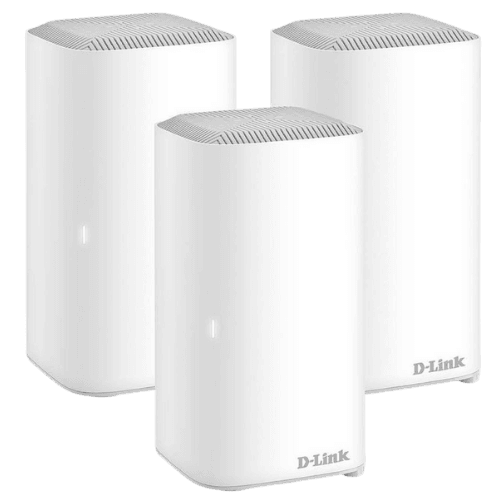
Image: Supplied/Finder
Finder Score:
Pros
- Great coverage
- Multiple Ethernet ports per node
- Easy app or browser installed
Cons
- Set-up can be convoluted
- Large mesh node towers
- You may not need that many Ethernet ports
Buy now
If you've signed up for an NBN plan, the odds are good that your ISP has provided you with a basic modem router with Wi-Fi functionality. Basic is the key word here, and if you're looking for more coverage, it makes sense to buy a good system that can provide solid coverage.
Our pick here is the D-Link COVR-X1873, a mesh networking Wi-Fi system that can directly hook into the NBN if you're on FTTP/HFC/FTTB, dodging the need for a modem at all. Of the systems we've tested, it scored the best for both coverage areas and speed even in notable Wi-Fi dead zones around larger homes, making it a good choice even if you have a larger home. What's more, if you have a truly massive home or expansive needs, you can easily add new nodes at any time to upgrade its coverage.
D-Link COVR-X1873
Best mesh router
Image: Supplied/Finder
Finder Score:
Pros
- Great coverage
- Multiple Ethernet ports per node
- Easy app or browser installed
Cons
- Set-up can be convoluted
- Large mesh node towers
- You may not need that many Ethernet ports
Buy now
Mesh networking remains the gold standard for home or office Wi-Fi for a very good reason. Having a network of Wi-Fi boosters can help reach those tricky spots that would otherwise suffer, and having an intelligent, internally managed set of mesh nodes makes it nearly effortless while maximising your network coverage just about everywhere.
You have plenty of choices in the mesh space, and there are some good easy contenders like the Google Nest Wi-Fi, but for our money – and certainly based off our tests – if what you're after is speed, there's little that matches up to D-Link's impressive COVR-X1873.
Yes, it's got a name like a Star Wars droid, but it's also Wi-Fi 6-capable with dual 2.4Ghz and 5Ghz coverage at up to a speedy 1,201Mbps, depending on your broadband service's capabilities. Each node also features 4 gigabit Ethernet ports, making it an excellent choice if you've got wired network devices such as printers or NAS devices that you want to connect up in a more stable way. The big downside of the D-Link COVR-X1873, beyond its cost, is that each tower node is relatively large, making them a tougher call for fitting into your home décor.
Asus RT-AX86U AX5700
Best router for gaming

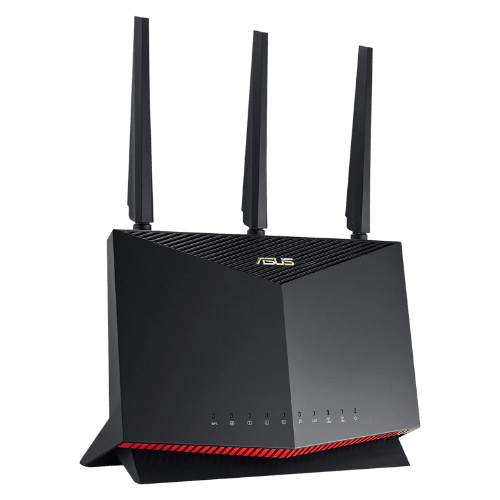
Image: Supplied/Finder
Pros
- Great speeds
- Strong focus on reducing latency
Cons
- Pricey
- Vertical mount won't suit everyone
Buy now
Gaming routers, like any other Wi-Fi router, need to deliver coverage and speed, but they typically also want to serve the specific needs of gamers when it comes to fine-tuning details around bandwidth provisioning and latency.
This is where the Asus RT-AX86U AX5700 scores well, with highly regarded publications such as CNET, PCMag and TechRadar noting its superior performance, strong ability to keep latency at a minimum and friendly web interface for when you want specific tweaks in place. It doesn't hurt that it supports Wi-Fi 6 for better throughput as long as your gaming gear supports that too.
On the downside, it's a bulky and somewhat expensive unit that really only supports vertical mounting, which won't suit everyone's needs, especially if space is at a premium.
D-Link COVR-X1873
Best long-range router/best for large homes
Image: Supplied/Finder
Finder Score:
Pros
- Great coverage
- Multiple Ethernet ports per node
- Easy app or browser installed
Cons
- Set-up can be convoluted
- Large mesh node towers
- You may not need that many Ethernet ports
Buy now
If you've got a large home, you're typically fighting poor Wi-Fi on several fronts, and distance is only one of them. The construction of your home's walls and wiring can also lead to dead zones even quite close to your primary router.
You can overcome some of this with a decent Wi-Fi 6 standalone router, but if you want to assure your home of wide coverage, mesh networking is the way to go.
So we turn again to the D-Link COVR-X1873, which has tested for the best coverage and speed in Finder's own tests, because it ticks both the Wi-Fi 6 boxes and expandability via 4 Ethernet ports on each node. The end result is a system that can provide great quality coverage to even the largest of homes and the added benefit of even wider connectivity every time you add a new node.
TP-Link Archer C7
Best cheap router

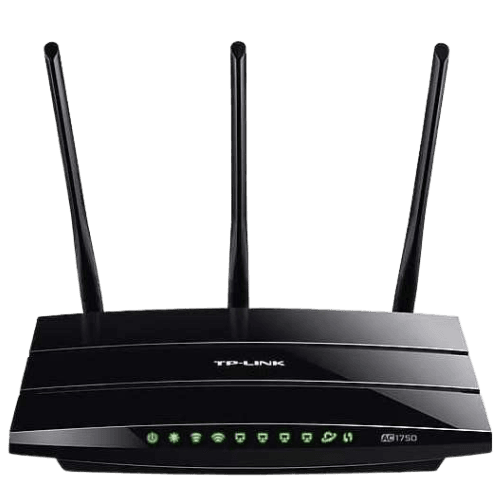
Image: Supplied/Finder
Pros
- It's really cheap
- Fair throughput for its price
Cons
- Relies on older Wi-Fi standards
- USB 2.0 ports
Buy now
For many users, the cheapest router is probably the modem router your ISP supplies, but there are plenty of reasons why you might want or need a replacement unit for a low initial cost. That's where a cheap router like the TP-Link Archer C7 could fill your needs.
At its asking price, what you're getting isn't a fancy router, whether you're talking design or features, with some reviewers noting that the web interface can be quite challenging for novice users. However, where it did score well with reviewers was in basic throughput on both the 2.4Ghz and 5Ghz bands. It's not likely to challenge the best of the best if you're having existing Wi-Fi reception issues or need a larger area to cover, but for smaller dwellings and those on a budget, it'll do the trick without costing too much.
Telstra Smart Modem
Best router with mobile fallback

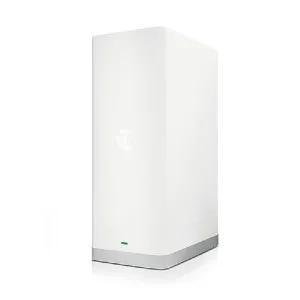
Image: Supplied/Finder
Pros
- Drops to 4G signal when NBN goes down
- Works with Telstra's Smart Wi-Fi Boosters for easy network expansion
Cons
- Won't kick in 4G unless there's no NBN at all
- Comparatively expensive and locked down
Buy now
Most of the modem routers you get from ISPs are very basic models. ISPs aren't interested in being in the hardware game and offer up the most rudimentary models. Most of the time that's fine, but you don't get good Wi-Fi signals from those devices precisely because they're cheap.
You also only get whatever your NBN connection is at the time, and this is where a modem router with LTE fallback comes into its own. All the big telcos have an option like this, but we'll give the nod to Telstra thanks to the wider range of its 4G network and also because it has at least thought about network expansion with optional Smart Wi-Fi Boosters if you need to extend its range.
The Telstra Smart Modem works best for those who want to set and forget a system. It can also be expensive unless you're happy being effectively locked into a 2-year Telstra NBN contract. It's also worth noting that even the sketchiest NBN connection will count as "live", even if 4G connectivity (capped at 25/5) would be quicker.
TP-Link VR600
Best modem router combo

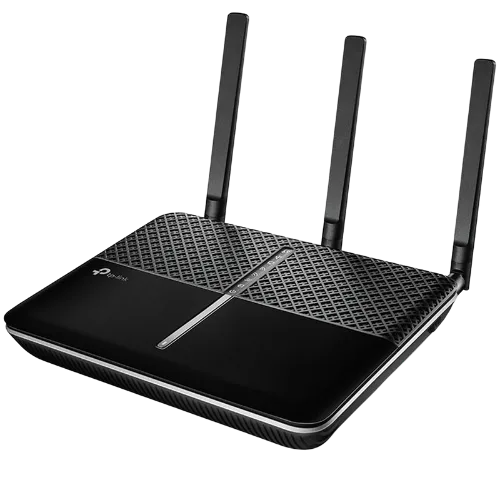
Image: Supplied/Finder
Pros
- Good tested speeds at 2.4Ghz and 5GHz
- Relatively inexpensive
Cons
- Was cutting edge in its day… but no more
- Lacks dedicated WAN port
Buy now
If you're looking for a modem router all-in unit for your home or office, it's important to match it to your connection type. If you're on FTTP/HFC/FTTB for example, many systems can eschew a dedicated modem because they can connect directly to your NBN device via the WAN port. However, Australians with FTTN do need a VDSL-compliant modem as part of their modem-router story in order to connect to the national broadband network.
TP-Links' VR600 has run well in Finder's prior NBN FTTN tests, making it a good match for those who want a simple all-in-one unit, and its status as an older unit means that it's also quite affordable right now. On the downside, being older means that its throughput over Wi-Fi is hardly cutting edge. It's also worth bearing in mind that while you do get a USB port that can take a 4G USB modem for backup, there's no dedicated WAN port. As such, if you upgraded your NBN or moved to a location with FTTP for example, you'd need to sacrifice one of its regular Ethernet ports to handle that connection.
Google Nest Wi-Fi
Best easy-to-set-up router

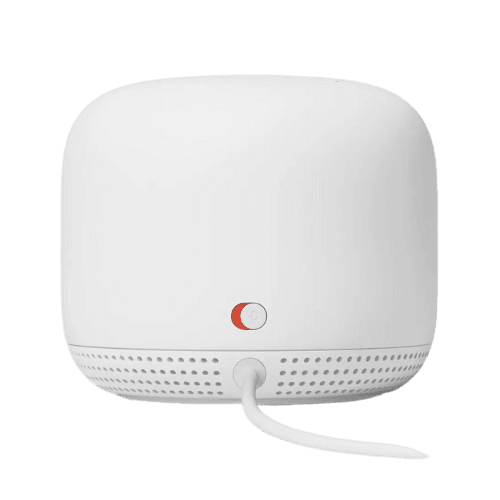
Image: Supplied/Finder
Pros
- Simple set-up
- Good throughput
- Doubles as smart speaker system
Cons
- No distinct 2.4/5Ghz bands
- Limited configuration options
- Only one colour choice in Australia
Buy now
The geeky types will always gravitate towards the more powerful and speedy routers, but many of those presume you've got a lot of experience with networking protocols and obscure set-up routines. For the rest of us, simplicity and something that just works is what we're after.
If that's you, and you want a simple to set up, simple to maintain Wi-Fi router, then the Google Nest Wi-Fi is an absolute no-brainer. Set-up is just about the easiest we've ever seen for any router product, especially if you're on an FTTP/HFC/FTTB connection. Google manages each mesh node for you, ensuring optimal throughput in most situations. You also get the added benefit of the nodes being Google Assistant-ready speakers in their own right, which means if you've also got a slew of smart home accessories, they'll work even more seamlessly.
However, you don't get more tech-inclined features like expansion Ethernet ports or a configuration interface that allows you to fine-tune your Wi-Fi set-up.
You can read Finder's full Google Nest Wi-Fi review here
Today's Google Nest Wi-Fi deals


25% off Google Nest Wi-Fi
Image: Supplied/Finder
Pros
- Great speeds
- Strong focus on reducing latency
Cons
- Pricey
- Vertical mount won't suit everyone
Buy now
Wi-Fi 6 isn't just about speed – although that extra speed is mighty fine – it's also about a slew of technology improvements for everything from coverage, energy usage, multiple devices and lower latency to name just a few. There's a wide and emerging range of Wi-Fi 6 capable routers out there, but right now if you're specifically chasing Wi-Fi 6 for its own sake, you're probably looking at a gaming solution.
As such, it's no surprise to see the Asus RT-AX86U AX5700 highly touted by reputable publications for its excellent throughput and coverage as well as for its rock-solid low-latency figures. Much of that is guided by its inclusion of Wi-Fi 6, of course. However, it's not an inexpensive option, and like most gaming routers, it's rather ostentatious – something that's made more notable by its vertical mounting orientation.
Netgear AC2200 NightHawk X4S Plug Range Extender
Best Wi-Fi extender

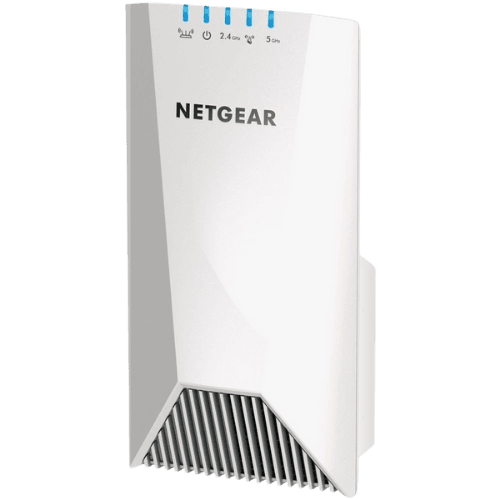
Image: Supplied/Finder
Pros
- Good speeds
- Boosts existing network
Cons
- Large physical size
- Expensive
Buy now
The Netgear AC2200 NightHawk X4S Plug Range Extender is our current pick for the best Wi-Fi range extender based on a wide array of professional reviews that praise its ability to integrate within your existing Wi-Fi network rather than becoming a sub-network as so many extenders do.
As such, it's closer – but not identical – to a mesh network system. It intelligently manages network bands so you'll connect to it if it's the most suitable device in your network without interfering with signals when it's not.
All of this comes at a premium price for a range extender, and that has led to some user reviews expressing dissatisfaction with its asking price. If the Netgear AC2200 NightHawk X4S Plug Range Extender is too rich for your liking, we've got a full round-up of the best Wi-Fi range extenders here.
Methodology


- We've spent hundreds of hours testing routers, mesh routers, modem routers and wireless extenders as well as considering reviews from highly regarded online publications to come up with our final selection list.
- Our editorial team has a combined 60+ years of experience writing about tech and reviewing the latest devices.
- The mesh routers on this list are chosen by our editorial team and are not based on commercial relationships.
Why you can trust our picks
Here's what we considered when picking the best routers:
- Cost. If you just want basic Wi-Fi, you can grab a router for under $100 that will deliver that, but this could be a poor match for your needs, especially if you're on a faster NBN speed tier. However, the more features you want on your router, and especially if you're looking at coverage-friendly solutions such as mesh networking, you're going to pay more.
- Speed and coverage. These aren't the same thing under different names. It's entirely feasible – and we've seen this in our own testing – for a Wi-Fi signal to go a long way in terms of being detectable but deliver poor actual data throughput. Equally, there's not much point in a fast throughput connection if it only ever happens when you're almost on top of the router itself. Here technologies under the Wi-Fi 6 umbrella can help in a standalone solution, as can the use of mesh networking solutions that intelligently manage the connection for you.
- Ease of set-up. Not everyone is a networking expert, even though many devices do treat you as though you should be. Many newer and better systems offer simple web-based set-up wizards or app-driven configuration and management interfaces making it easier for everyday folks to properly and securely manage their networks.
- Aesthetics. Classic networking gear had a brutal aesthetic because it sat in rooms full of cables and blinking lights along with equally blinking and sometimes bewildered networking technicians. That kind of style doesn't always gel well with a device that lives in your home, especially if your NBN connection is in a heavily trafficked room.
- Expandability. What's right for your Wi-Fi right now might not be what you need over time, especially if you want wider coverage. Here you can consider the use of range extenders, mesh networks or just routers that can integrate with either approach.
Frequently asked questions
What’s the difference between a router and a modem?
A modem connects you to the Internet, while a router lets your devices connect to your local area network. These are usually 2 separate devices working together to create a home network. These days you can get a combined modem and router unit at different price points.
Can a router speed up my Internet?
A new, more advanced router can speed up your Wi-Fi connection, but it can't speed up your Internet plan.
Are routers secured?
Most routers have built-in firewalls to protect your local network from threats and malicious attacks, but they're often disabled by default. You can turn them on by logging into your router's online user account. Find the security settings and activate the firewall.
For better security, make sure to use a WAP2 password. This is a custom password that you can require for every device trying to connect to your home network. Experts recommend using a password that is difficult to associate with you. An alphanumeric password is also ideal.
Where’s the best place to put my router?
The best area to put your router is high up in a central location in your home. It will allow the router to transmit waves in all directions for optimal connection.
How long does a router last?
Most models have a lifespan of about 5 years. After this period, you might want to upgrade your router to ensure you're getting the best features and connection without unnecessary interruption.
Why you can trust Finder Shopping best guides


We're knowledgeable


We're comprehensive

