




Error placeholder Click here to sign in
Finder's team checked out hundreds of computer monitors built for everything from productivity to gaming to find the best options on the market. We sifted through numerous customer reviews and looked into detailed specifications when choosing these monitors to help you make a confident pick for your next screen.
Read more detail on our methodology below.
LG 38 Inch UltraWide QHD Plus IPS Curved Monitor
Best overall computer monitor

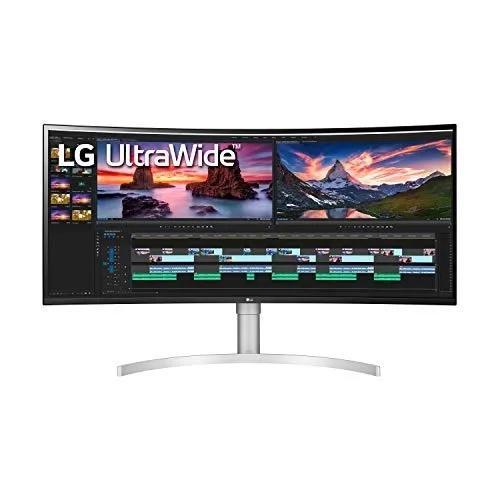
Image: Supplied/Finder
Pros
- Suitable for gaming
- VESA DisplayHDR 600 for full immersion
Cons
- Has a bit of a learning curve
- Bulky
Buy now
The LG 38 Inch UltraWide QHD Plus IPS Curved Monitor easily snags the spot as the best overall computer monitor. With a staggering 4.45 out of 5 stars on Amazon and Appliances Online, its reputation precedes it.
The monitor's UltraWide QHD+ screen with a 21:9 aspect ratio offers an extended viewing area that's hard to compete with. Coupled with VESADisplay HDR, it delivers lifelike images with realistic textures and a generous representation of light and shadow to enhance your viewing experience.
Moreover, Nano IPS technology ensures stable image quality and crystal-clear clarity from different angles. Adding to its impressive performance is the NVIDIA G-SYNC technology, which efficiently tackles the issue of mismatched frame rates, eradicating screen tearing, stuttering, and lag.
With an IPS 1ms response time and a 144Hz refresh rate, you will enjoy a smooth, lag-free experience. The monitor is NVIDIA G-SYNC Compatible and boasts VESA DisplayHDR 600. It even comes with a Thunderbolt™ 3 port for versatile connectivity.
However, the monitor's high price point may deter budget-conscious buyers, and some users may find the sheer size of the 38-inch screen overwhelming for smaller desk spaces. All in all, it's still a stellar offering in the world of computer monitors.
How do Australians rate LG's computer monitors?
96% of surveyed Australians recommend LG
How LG compares
In the 2023 Finder Retail Awards, we surveyed over 34,000 Australians about their retail purchases to discover which were their favourite brands across 170 product categories and over 1,200 total brands.
For computer monitors, LG was ranked 8th for value for money, 7th for performance, 11th for ease of use, 11th for features and design and 7th for image quality.
13 brands were rated across these decision criteria.
Samsung LC34G55TWWEXXY Odyssey G5 34inch 165Hz VA Gaming Monitor
Best gaming monitor

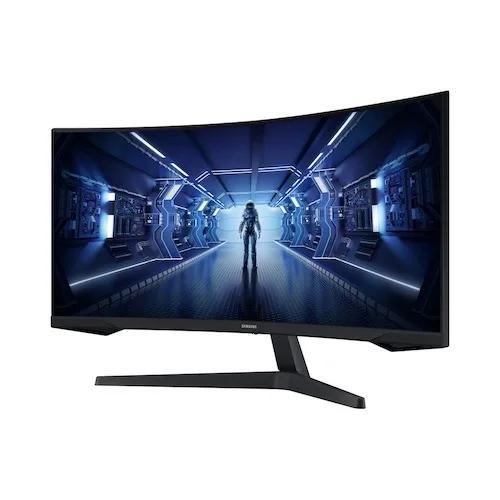
Image: Supplied/Finder
Pros
- Great value for money
- Fully immersive
Cons
- Curved design isn’t for some gamers
- Competitors offer better refresh rates
Buy now
The LC34G55TWWEXXY Odyssey G5 34inch 165Hz VA Gaming Monitor is popular among avid gamers, earning a solid 4 out of 5 stars on Mwave. Its all-encompassing 1000R display with an ultra-wide 21:9 aspect ratio immerses you right into the game, capturing the peripheral vision and putting you in the character's shoes.
The ultra WQHD (3440 x 1440) resolution guarantees pin-sharp images, making every detail on the screen crisp and clear. Coupled with a 165Hz refresh rate and a low 1ms response time, it ensures smooth and uninterrupted gameplay. The impressive HDR10 enhances the visual experience, presenting awe-inspiring graphics.
However, no product is without its drawbacks. First, while immersive, the monitor's curve may not be to everyone's liking, as some users might prefer a flat screen for certain types of games or tasks. Secondly, while the 165Hz refresh rate is impressive, other monitors in the market offer a higher refresh rate, which could be a deciding factor for some hardcore gamers.
How do Australians rate Samsung's computer monitors?
90% of surveyed Australians recommend Samsung
How Samsung compares
In the 2023 Finder Retail Awards, we surveyed over 34,000 Australians about their retail purchases to discover which were their favourite brands across 170 product categories and over 1,200 total brands.
For computer monitors, Samsung was ranked 13th for value for money, 7th for performance, 5th for ease of use, 3rd for features and design and 7th for image quality.
13 brands were rated across these decision criteria.
Lenovo L24E-40 23.8-Inch FHD Monitor
Best cheap computer monitor

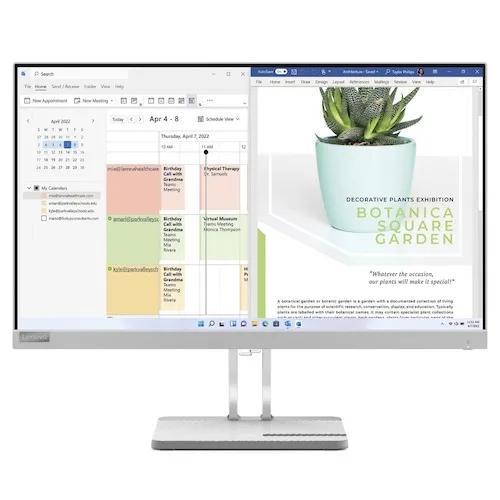
Image: Supplied/Finder
Pros
- Sleek design for smaller spaces
- Great for casual, everyday tasks
Cons
- Not for gaming
- NO HDMI
Buy now
The Lenovo L24E-40 23.8-Inch FHD Monitor shines as an exemplar of budget-friendly technology, featuring a sharp 1920 x 1080 pixel resolution paired with a generous color depth of 16.7 million.
Its 3000:1 contrast ratio promises a dynamic range of vivid hues and deep blacks, while the 16:9 aspect ratio provides an excellent widescreen viewing experience for work or leisure. This model boasts a swift response time of 6ms and a refresh rate of 100Hz, ensuring a smoother image transition that is particularly desirable for fast-paced games and movies. Its 178-degree viewing angle ensures a consistent image quality from virtually any perspective.
On the downside, the absence of an HDMI port might limit its compatibility with specific devices. Some users may also find gaming with the monitor less ideal due to its limited 100Hz refresh rate.
How do Australians rate Lenovo's computer monitors?
96% of surveyed Australians recommend Lenovo
How Lenovo compares
In the 2023 Finder Retail Awards, we surveyed over 34,000 Australians about their retail purchases to discover which were their favourite brands across 170 product categories and over 1,200 total brands.
For computer monitors, Lenovo was ranked 2nd for value for money, 12th for performance, 11th for ease of use, 5th for features and design and 11th for image quality.
13 brands were rated across these decision criteria.
Samsung Odyssey Neo G8 S32BG85
Best monitor for PS5

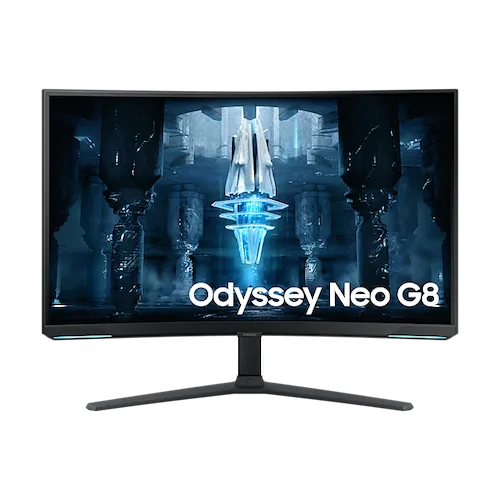
Image: Supplied/Finder
Pros
- 4K UHD resolution
- 1ms GTG response time
Cons
- Expensive
- May be complex for casual gamers
Buy now
The Samsung Odyssey Neo G8 S32BG85 is undoubtedly a strong contender for the best computer monitor for PS5. It rises above the competition thanks to the Quantum Mini-LED technology, which brings unmatched depth and picture quality with Quantum HDR2000. The gaming experience becomes riveting as the monitor's 1000R curvature mirrors the arc of the human eye, providing immersive and deeply satisfying gameplay.
As for the technical specs, this model boasts a 32" VA panel with 4K UHD resolution (3840x2160), a 240Hz refresh rate, and a swift, 1ms GTG response time, leaving nothing to be desired for a PS5 gamer. Moreover, its brightness level of 350 cd/m2, contrast ratio of 1,000,000:1, and the ability to display 1 billion colours will make gaming visuals pop.
But there are a couple of drawbacks worth mentioning. While the Odyssey Neo G8 provides a wide array of functionality, it may come off as complex for those less tech-savvy. Its price point might also be a stretch for budget-conscious gamers at over $1,700.
However, considering its unique blend of immersive gaming experience and high-end specs, the Odyssey Neo G8 is a worthy investment for those who demand the best for their PS5 gaming setup.
How do Australians rate Samsung's computer monitors?
90% of surveyed Australians recommend Samsung
How Samsung compares
In the 2023 Finder Retail Awards, we surveyed over 34,000 Australians about their retail purchases to discover which were their favourite brands across 170 product categories and over 1,200 total brands.
For computer monitors, Samsung was ranked 13th for value for money, 7th for performance, 5th for ease of use, 3rd for features and design and 7th for image quality.
13 brands were rated across these decision criteria.
MSI Optix MAG301RF 29.5 inch UWHD 200Hz 1ms G-Sync IPS Ultrawide Gaming Monitor
Best ultra-wide monitor (budget)

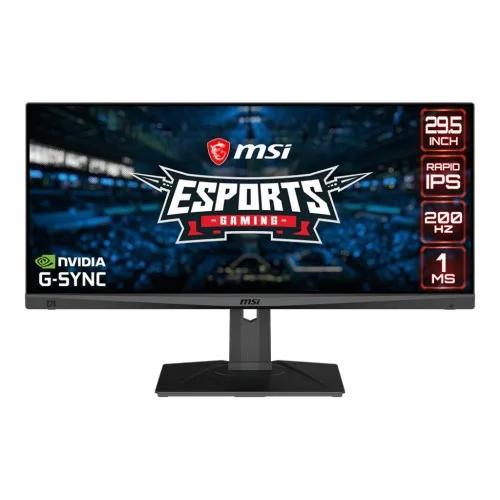
Image: Supplied/Finder
Pros
- Suitable for gaming
- Claims to eliminate screen tearing
Cons
- Stand could be more durable
- Menu system isn’t the most user-friendly
Buy now
The MSI Optix MAG301RF 29.5" UWHD 200Hz 1ms G-Sync IPS Ultrawide Gaming Monitor packs a punch when offering high-end features at a budget-friendly price. With an impressive 4.9 out of 5 stars on Mwave, it's clear that this monitor delivers on its promises.
The Rapid IPS provides a 1ms GTG fast response time, optimising screen colours and brightness for an enhanced viewing experience. Plus, the UWHD high resolution takes gaming to another level by displaying more intricate details.
The 200Hz refresh rate ensures quicker response times with smoother frame transitions, while the 1ms GTG Response Time eliminates screen tearing and choppy frame rates. The NVIDIA G-Sync compatibility also prevents screen tearing or stuttering, producing ultra-smooth, lag-free gameplay.
However, the monitor's stand could be sturdier, offering more stability for those intense gaming sessions. Additionally, some might find the menu system a bit clunky and not as user-friendly as it could be.
LG 38 Inch UltraWide QHD Plus IPS Curved Monitor
Best ultra-wide monitor (premium)
Image: Supplied/Finder
Pros
- Suitable for gaming
- VESA DisplayHDR 600 for full immersion
Cons
- Has a bit of a learning curve
- Bulky
Buy now
If you're on the hunt for a true premium ultra-wide computer monitor, the LG 38 Inch UltraWide QHD Plus IPS Curved Monitor also comes out shining. Its top-notch reputation is well-earned, with an impressive 4.45 out of 5 stars from Amazon and Appliances Online users.
The monitor's UltraWide QHD+ screen with a 21:9 aspect ratio, paired with VESADisplay HDR, delivers an immersive viewing experience. You get realistic textures, a beautiful balance of light and shadow, and an extended viewing area that's hard to beat.
Its Nano IPS technology ensures stable image quality and sharp clarity, no matter your viewing angle. Plus, the NVIDIA G-SYNC technology tackles mismatched frame rates head-on, eliminating screen tearing, stuttering, and lag. With a quick 1ms response time, a 144Hz refresh rate, and VESA DisplayHDR 600, you're in for a smooth, lag-free experience.
However, keep in mind that all this goodness comes at a pretty penny, which might not be for the budget-conscious. And, while the 38-inch screen delivers an immersive viewing experience, some may find it a tad too large for their cozy desk setups.
How do Australians rate LG's computer monitors?
96% of surveyed Australians recommend LG
How LG compares
In the 2023 Finder Retail Awards, we surveyed over 34,000 Australians about their retail purchases to discover which were their favourite brands across 170 product categories and over 1,200 total brands.
For computer monitors, LG was ranked 8th for value for money, 7th for performance, 11th for ease of use, 11th for features and design and 7th for image quality.
13 brands were rated across these decision criteria.
Dell P2422H 24 inch Full HD IPS Monitor
Best monitor for a home office

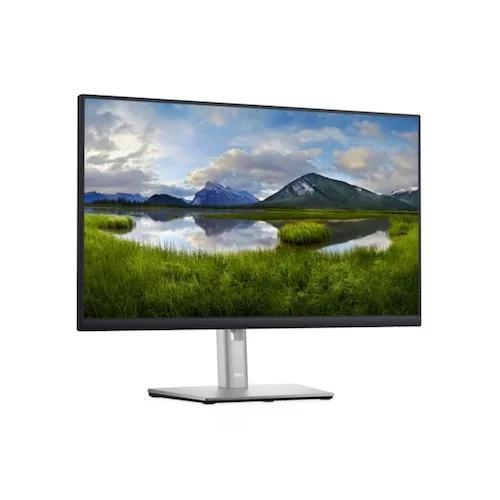
Image: Supplied/Finder
Pros
- ComfortView Plus feature to reduce blue light emission
- Won’t break the bank
Cons
- Not for heavy-duty tasks
- Subpar refresh rate
Buy now
The Dell P2422H 24" Full HD IPS Monitor is a solid pick for your home office. Balancing high performance with comfort, it has a rating of 4.7 out of 5 stars on both Amazon and Mwave.
Its 24" panel size and 1920x1080 resolution ensure a clear and large workspace, beneficial for productivity. The monitor's ComfortView Plus feature is a game-changer, designed to reduce harmful blue light emissions without sacrificing colour accuracy. It's perfect for those long work hours.
Its sleek design and impressive cable management system create a neat and stylish workspace. And let's not forget the extensive connectivity options - DisplayPort, HDMI, VGA, and 4x SuperSpeed USB 5Gbps.
Plus, the stand is adjustable for tilting, swivelling, pivoting, and height, providing a comfort-driven experience. Moreover, its IPS technology and 99% sRGB coverage deliver consistent, vibrant colours.
However, it's essential to take note of a couple of downsides. The monitor's refresh rate is 60Hz, which might be underwhelming for gamers seeking smoother visuals. Additionally, the response time of 8 ms in normal mode could be a bit slow for graphic-intensive tasks.
How do Australians rate Dell's computer monitors?
92% of surveyed Australians recommend Dell
How Dell compares
In the 2023 Finder Retail Awards, we surveyed over 34,000 Australians about their retail purchases to discover which were their favourite brands across 170 product categories and over 1,200 total brands.
For computer monitors, Dell was ranked 8th for value for money, 4th for performance, 5th for ease of use, 5th for features and design and 4th for image quality.
13 brands were rated across these decision criteria.
Dell UltraSharp U2723QE 27 inch 4K UHD Monitor
Best 4K monitor

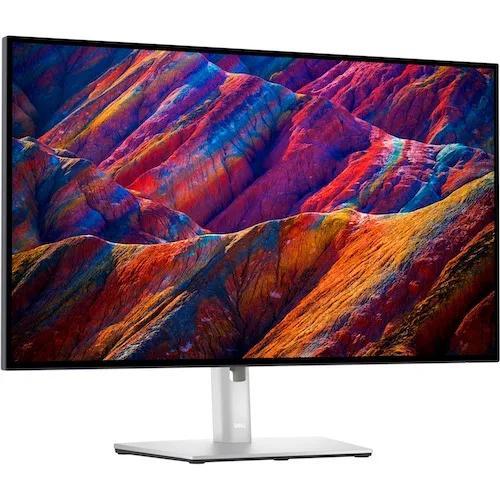
Image: Supplied/Finder
Pros
- Heaps of connectivity options
- Vivid and true-to-life colours
Cons
- May not suit those who prefer subtler colours
- Power Sync feature is a bit gimmicky
Buy now
The Dell UltraSharp U2723QE 27" 4K UHD Monitor is our pick as the finest 4K computer monitor in the market. Boasting an exceptional contrast ratio of 2000:1, it offers an unrivalled colour range and superior black performance. This is the world's first 27" 4K monitor with IPS Black technology, so it's no wonder it received an impressive 4.45 out of 5 stars on Amazon and Mwave.
The comfort it provides is second to none, thanks to ComfortView Plus—a compelling feature that reduces potentially harmful blue light emissions while preserving colour integrity. Then there's the true brilliance: fine details are perfectly visible on this 4K monitor, and the colour representation is remarkably lifelike, with 98% DCI-P3 and VESA DisplayHDR 400.
Productivity gets a significant boost from the Power Sync feature, which turns on your computer just as you wake up. And in terms of connectivity, it's a powerhouse, offering USB-C, RJ45, DP1.4, and HDMI. Quick-access USB-C (up to 15W of power charging) and super-speed USB 10Gpbs ports are fantastic for easy connections and fast data transfers.
However, some users may find the monitor's high contrast ratio less appealing for tasks that require subtler colour variations. Furthermore, while the monitor's Power Sync feature is innovative, it might not be as useful for those who do not need their device to power on automatically.
How do Australians rate Dell's computer monitors?
92% of surveyed Australians recommend Dell
How Dell compares
In the 2023 Finder Retail Awards, we surveyed over 34,000 Australians about their retail purchases to discover which were their favourite brands across 170 product categories and over 1,200 total brands.
For computer monitors, Dell was ranked 8th for value for money, 4th for performance, 5th for ease of use, 5th for features and design and 4th for image quality.
13 brands were rated across these decision criteria.
AOC 24G2SP 23.8 inch 165Hz Full HD 1ms Adaptive Sync IPS Gaming Monitor
Best budget gaming monitor

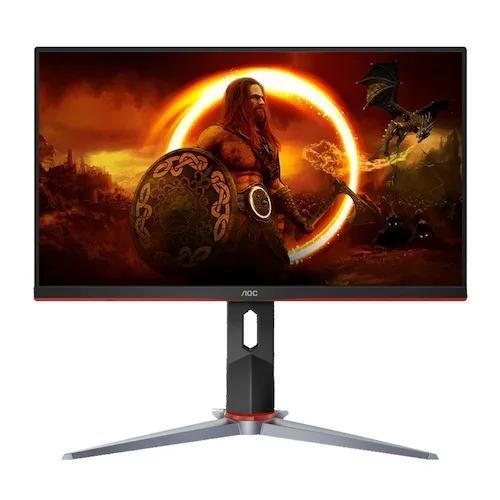
Image: Supplied/Finder
Pros
- HD resolution of 1920x1080
- Superb refresh rate
Cons
- VGA feature is pretty outdated
- Not for more intense gaming sessions
Buy now
We picked the AOC 24G2SP 23.8" 165Hz Full HD 1ms Adaptive Sync IPS Gaming Monitor as the best budget gaming monitoring, earning a rating of 4.9 out of 5 stars on Mwave.
It has specs like a full HD resolution of 1920x1080, a 165Hz refresh rate, and a lightning-fast 1ms response time. This ensures crystal-clear, smooth gameplay without any noticeable lag or blurring. The monitor's adaptive sync feature pairs wonderfully with its IPS panel, offering enhanced colour reproduction and wider viewing angles.
The ergonomic design, which includes height, swivel, pivot, and tilt adjustments, along with VESA support, also offers customisation for perfect comfort during extended gaming sessions.
However, the monitor provides a generous selection of I/O ports; it includes VGA – a somewhat outdated option when considering the digital, high-definition capabilities of modern gaming. Also, while the monitor's contrast ratio 1100:1 is typical, it might fall short for those looking for extraordinarily vibrant colour contrasts in their gaming experience.
How do Australians rate AOC's computer monitors?
93% of surveyed Australians recommend AOC
How AOC compares
In the 2023 Finder Retail Awards, we surveyed over 34,000 Australians about their retail purchases to discover which were their favourite brands across 170 product categories and over 1,200 total brands.
For computer monitors, AOC was ranked 8th for value for money, 4th for performance, 5th for ease of use, 11th for features and design and 7th for image quality.
13 brands were rated across these decision criteria.
LG 38 Inch UltraWide QHD Plus IPS Curved Monitor
Best curved monitor
Image: Supplied/Finder
Pros
- Suitable for gaming
- VESA DisplayHDR 600 for full immersion
Cons
- Has a bit of a learning curve
- Bulky
Buy now
The LG 38 Inch UltraWide QHD Plus IPS Curved Monitor is also our choice for the best curved computer monitor in the market.
With a rating of 4.45 out of 5 stars on Amazon and Appliances Online, this monitor boasts a 3840x1600 WQHD+ resolution display that elevates the visual experience. It also boasts a DCI-P3 98 percent colour space, ensuring vibrant colour reproduction.
For those who value immersive visuals, this model features VESA DisplayHDR 600, bringing dramatic visual immersion to the latest HDR games, movies, and images. It also houses a USB-C Compatible Thunderbolt 3 port, offering the added convenience of connecting your screen to your laptop while charging it.
Designed with gamers in mind, it offers IPS 1ms, 144Hz, and G-SYNC compatibility, delivering stellar picture quality for gaming. To top it off, the monitor has a stand that can be adjusted for tilt, height, and swivel, allowing customizability to fit your workspace perfectly.
However, the size and weight of the monitor could be a concern for those with limited desk space or those who often move their setup. It's also a bit complex for less tech-savvy users, so getting used to all its features may take some time.
How do Australians rate LG's computer monitors?
96% of surveyed Australians recommend LG
How LG compares
In the 2023 Finder Retail Awards, we surveyed over 34,000 Australians about their retail purchases to discover which were their favourite brands across 170 product categories and over 1,200 total brands.
For computer monitors, LG was ranked 8th for value for money, 7th for performance, 11th for ease of use, 11th for features and design and 7th for image quality.
13 brands were rated across these decision criteria.
BenQ SW321C 32-inch 4K UHD HDR PhotoVue LED IPS Photographer Monitor
Best monitor for editing photos

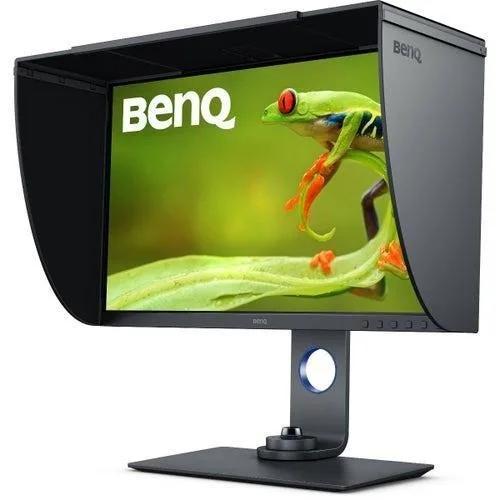
Image: Supplied/Finder
Pros
- Uniformity Technology for screen-wide colour precision
- Crisp 4K HD resolution
Cons
- Brightness level is limited to 250 cd/m2
- Expensive
Buy now
The BenQ SW321C 32" 4K UHD HDR PhotoVue LED IPS Photographer Monitor is a solid choice for photo editing tasks.
With a crisp 4K UHD resolution and a panel type of IPS, it ensures high-quality visuals and vibrant colour display. The monitor is applauded for its 10-bit colour depth that allows smooth colour gradations, supporting over a billion colours, ensuring that your photos will be represented with utmost precision.
Its Uniformity Technology guarantees screen-wide colour precision for consistent viewing experiences, a critical element for photo editing. The monitor comes professionally factory-calibrated, allowing for out-of-the-box colour accuracy. With HDR10 and HLG compatibility, it's great for previewing High Dynamic Range content during editing.
However, it's worth mentioning that the brightness level is limited to 250 cd/m2, which might not suit everyone's preference, especially in brighter environments. Also, it's pretty expensive at over $3,000, making it a significant investment.
But rated 4.1 out of 5 stars on Mwave, the BenQ SW321C surely packs a punch in its league. Its features, like USB-C connectivity with audio/video, data transfer, and power delivery support, speak volumes of its versatility. Yes, there might be a couple of cons, but its pros clearly overshadow them, making it a top pick for photo editing enthusiasts.
How do Australians rate BenQ's computer monitors?
90% of surveyed Australians recommend BenQ
How BenQ compares
In the 2023 Finder Retail Awards, we surveyed over 34,000 Australians about their retail purchases to discover which were their favourite brands across 170 product categories and over 1,200 total brands.
For computer monitors, BenQ was ranked 2nd for value for money, 7th for performance, 2nd for ease of use, 3rd for features and design and 7th for image quality.
13 brands were rated across these decision criteria.
Apple Studio Display
Best monitor for Mac mini

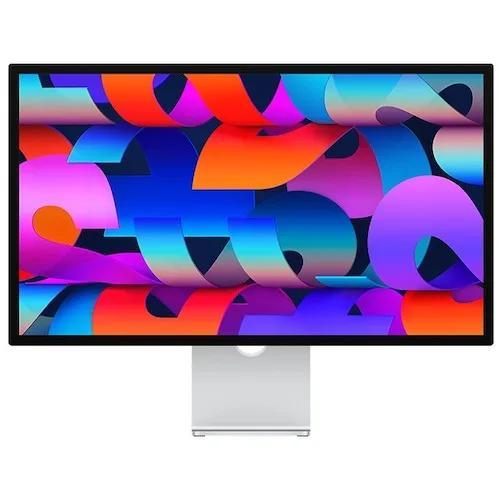
Image: Supplied/Finder
Finder Score:
Pros
- Slender design
- Center Stage added to every Mac
- Good speakers
Cons
- Expensive
- 60Hz only
- No HDR
- No HDMI
- Webcam is awful
Buy now
The Apple Studio Display, with its immersive 27-inch 5K Retina display, is our pick as the best option for a Mac Mini.
With a brightness of 600 nits and the ability to support 1 billion colours, it brings visuals to life with exceptional clarity and vibrant hues. It's not just the top-notch viewing experience; it also boasts a 12MP Ultra-Wide camera with Centre Stage, making video calls more engaging than ever.
The audio experience is equally impressive, thanks to the six-speaker sound system with Spatial Audio, which provides an unbelievably immersive listening experience. Let's not forget the convenience of a studio-quality three-mic array for perfectly clear calls and voice recordings and the 96W power delivery that can charge your Mac notebook.
However, the Apple Studio Display isn't without its drawbacks. It comes with only one Thunderbolt 3 port, which may limit your connectivity options. Also, the three USB-C ports may not be sufficient if you're a heavy user with multiple peripherals to connect.
How do Australians rate LG's computer monitors?
96% of surveyed Australians recommend LG
How LG compares
In the 2023 Finder Retail Awards, we surveyed over 34,000 Australians about their retail purchases to discover which were their favourite brands across 170 product categories and over 1,200 total brands.
For computer monitors, LG was ranked 8th for value for money, 7th for performance, 11th for ease of use, 11th for features and design and 7th for image quality.
13 brands were rated across these decision criteria.
Espresso Display V2 Touch
Best portable computer monitor



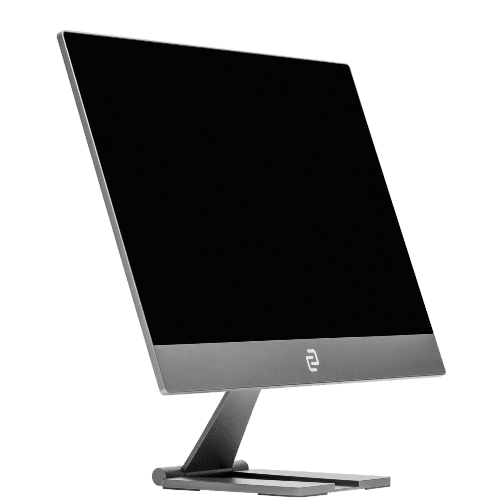
Image: Supplied/Finder
Finder Score:
Pros
- Thin and light
- Doesn’t use a lot of power
- Gives touchscreen capabilities to computers that lack them
Cons
- Only full HD resolution
- Speakers aren't the best
- A touch more expensive than competitors who benefit from the economy of scale
Buy now
The Espresso Display V2 is one of the best portable screens available. Sure, it doesn't have the 4K resolution that would satisfy video editors or a high enough frame rate for gamers. But it's thin, light and perfect for people who want a portable dual-screen set-up.
Everything about this device, from the display to the accessories, are made for easy transport. From setting up the stand with the one-touch magnet, to just plugging in with a single cable.
The 2 USB-C ports on the side are also perfect for most users with newer laptops. You can simply plug it in to your computer with a single cable for both power and connection and you're on your way. However, if you have an older computer or are using it with a game console, you'll need a converter cable and to use the second port for power.
And perhaps best of all, it also has the magical added bonus of turning Macs into touchscreen devices, which for some will make it more than worth the asking price.
Save on computer monitor with these deals and discounts:
Up to 43% off Lenovo monitors
Get up to 43% off Lenovo monitors and elevate your workspace with stunning visuals and reliable performance from Lenovo. Whether for work, gaming, or creative projects, enjoy premium display quality at an exceptional value for a limited time. T&Cs apply.
Up to $1000 Off Select Monitors and Laptops at LG
Ends
5 Mar 2026
Score serious savings with up to $1000 off select monitors and laptops from LG Electronics, where performance meets cutting-edge design. Whether you're leveling up your workspace or gaming setup, now’s the time to upgrade for less. T&Cs apply.
Up to 62% off Kogan monitors
Upgrade your setup without breaking the bank—Kogan monitors are now up to 62% off, offering crisp visuals at unbeatable prices. Whether you're gaming, working, or streaming, it's the perfect time to snag high-performance screens for less. Limited time only. T&Cs apply.
Dell Ultrawide computer monitors from $599.50
Shop ultrawide computer monitors from Dell starting from $599.50. While stocks last. T&Cs apply.
45% off select HP monitors
Don't miss out on this limited-time offer at HP. While stocks last. T&Cs apply.
Dell 27 Plus 4K Monitor for only $399.30
Shop the Dell 27 Plus 4K UHD Monitor for only $399.30. Hurry before stocks run out. T&Cs apply.
20% off Monitors with code: MONITOR20
Apply promo code at checkout to avail of discounts at HP. Valid for a limited time only. Exclusions, T&Cs apply.
50% off select printers
Buy any PC or monitor and enjoy 50% off select printers. T&Cs apply.
15% off measure + monitor range
Get 15% off measure + monitor range. T&Cs apply.
Hybrid smartwatch from AUD307.98
Shop smartwatches with GPS, ECG, heart rate monitor and more from AUD307.98. T&Cs apply.
How did we pick this list?


Why you can trust our picks
We sifted through the hundreds of computer monitors on the market from the brands listed below to help you pick your next display:
- Acer
- Alienware
- AOC
- Apple
- ASUS
- BenQ
- Dell
- Gigabyte
- HP
- Lenovo
- LG
- MSI
- Philips
- Samsung
Many brands are struggling with supply shortages, so getting your hands on some screens can be hard. We've only selected models here that were available from Australian retailers at the time of writing.
We dived into monitors' product pages and extensively read through product specifications to assemble this list. We selected the best models based on display size, resolution, quality, refresh rate, connectivity, brightness, performance and value for money.
Following thorough research into these screens and after reading hundreds of customer reviews, we picked out what we think are the 12 best computer monitors for anyone looking to upgrade their set-up.
What is a computer monitor?
A computer monitor displays the information from your computer. While sizes vary, a large monitor is typically 27 inches (measured diagonally) or bigger.
There are many monitors available measuring 30 inches and above. Some top-end gaming monitors push up towards the 50-inch mark.
Why is bigger better? Pros and cons
There are several reasons why bigger is better:
- Better viewing. A good-quality monitor can offer a much more detailed and user-friendly viewing experience than that 5-year-old model currently on your desk.
- More work space. An ultra-wide screen allows you to easily look at documents side by side or view large spreadsheets without scrolling. Graphic designers and photographers can benefit from larger as their high resolution and screen space provide accurate display for editing images.
- Immersive viewing and gaming. With a monitor your PC can double as a home entertainment centre where you can stream movies and TV shows. It also offers a much more immersive and involved experience for gamers.
There are 2 main drawbacks of large computer monitors:
- Cost. While high-quality monitors are a lot more affordable than you might think, the larger you go, the more you'll need to spend. And when you can pick up a no-frills 24-inch model for less than $200, you might decide that a smaller monitor is all you need.
- Space. They're a lot slimmer than those old CRT monitors, but a big widescreen monitor can still take up a lot of desk space. Make sure you've got sufficient room before handing over any cash.
What is the best computer monitor for me?
The only way to answer this question is to ask yourself a few other questions. How big a screen do you need? How much desk space do you have to work with? What will you be using the monitor for? How much are you prepared to spend?
The bottom line is that provided you have sufficient space, it's generally worth buying the biggest monitor your budget allows. Once you've spent any amount of time using a large monitor, going back to a smaller screen just doesn't cut it anymore.
Only after you've worked out these specifics will you be able to start comparing products to find the best computer monitor for your needs.
If you're a gamer, check out our detailed comparison of gaming monitors for more info on how to choose the best 4K monitor for your gaming needs.
Types of monitors
One of the main ways to differentiate between big computer monitors is to take a closer look at the panel types they use. There are a few options available:
LCD/LED
The vast majority of modern LCD monitors use LED technology and come in 2 standard types:
- Twisted nematic (TN) panels are the most common because they're cheap and offer very fast response times. However, they have poor colour accuracy and limited viewing angles.
- Vertical alignment (VA) panels offer more accurate colours, improved contrast ratios and better viewing angles than TN panels, but their response times are slower.
IPS/PLS
These anagrams respectively stand for in-plane switching and plane-to-line switching. They're very similar types of technology designed to offer better colour accuracy and contrast, a much wider viewing angle and improved image quality. They're the most expensive option and have a slower response time – so they may not be suitable for gamers – but they are generally considered to be the best option.
OLED monitors offering better contrast ratios and faster response times are also starting to emerge. However, as they're not widely available and still prohibitively expensive, OLED is not yet a viable option.
Compare LED/LCD, OLED and QLED smart TVs
How to compare computer monitors
The first step in choosing a computer monitor is to consider your budget. Entry-level 27-inch monitors start at around $250. From there, prices increase in line with screen size and special features, such as a curved monitor and 4K resolution. Top-spec gaming monitors can cost upwards of $2,000.
Next, compare screen size, image quality, resolution and ease of use before deciding which computer monitor to buy. Make sure you consider the following essential factors:
Screen size
Most monitors sit within the 27- to 34-inch range. There is a small selection of models that offer screens of 40 inches or more. You'll also need to consider the amount of desk space you have before deciding on the right size.
Refresh rate
The refresh rate refers to how often a monitor changes the image on screen, measured in hertz. The average monitor has a refresh rate of 60Hz, which means the display updates 60 times per second. Top-spec gaming monitors can increase this as far as 240Hz.
Contrast ratio
This is the difference between how black and how white a monitor can get. A high contrast ratio is good news, but be aware that there's no uniform way for measuring this across different manufacturers. Instead of taking the specs sheet as gospel, trust your eyes instead.
Resolution
Resolution is the number of pixels on a screen. The higher the pixel count, the better the detail – but make sure you're comparing screens of the same size. 1920x1080, also known as 1080p or full HD, is the minimum you'll need. A higher resolution is recommended for large monitors. 4K (3,840x2,160) is currently the most popular choice.
2560×1440 (1440p or 2K) monitors are available but not as common. A limited number of monitors offer 5K.
Aspect ratio
Aspect ratio is the width of the screen compared to its height. 16:9 is the most common ratio and the best choice for most buyers. 16:10 provides a little more vertical work space for those who might want to look at multiple documents or images at the same time.
Some ultra-widescreen monitors stretch to a ratio of 21:9, offering a smoother and more practical arrangement than a dual-monitor set-up. Ultra-widescreen models are generally more suited to gamers, movie buffs or content creation professionals.
Curved vs flat
Many super-widescreen models are curved in an effort to complement your eyeballs and offer a more natural viewing experience. They're designed to improve viewing angles and make gaming and movies more immersive, affording you a wider display without having to sit too far back.
However, they're more expensive than flat screens. They also stick out from the wall more. Whether you choose a flat or curved monitor really comes down to personal preference.
Frequently asked questions
How do you clean a computer monitor?
To clean a computer monitor, you will need to follow these steps:
- Turn off your computer and unplug the monitor from the power source.
- Use a microfiber cloth or soft, lint-free cloth to wipe away any dust or debris on the monitor's surface.
- For tougher stains or smudges, dampen the cloth with water and gently wipe the affected area.
- Do not use harsh chemicals or cleaning products on your monitor, as they can damage the screen.
- For stubborn residue, you can use a small amount of isopropyl alcohol on the cloth and gently wipe the stain.
- Once you have cleaned the entire surface, use a dry cloth to remove any excess moisture.
What are the main types of computer monitors?
There are three main types of computer monitors: cathode ray tube (CRT), liquid crystal display (LCD), and light-emitting diode (LED). CRT monitors were the standard for many years, but LCD and LED monitors have replaced them due to their bulkiness and high energy consumption.
What is the best size monitor for daily use?
The best size monitor for daily use depends on personal preferences and needs. Some people prefer a smaller screen for easier portability, while others prefer a larger one for better visibility and multitasking. Generally, a 22-inch to 27-inch monitor is considered ideal for everyday use.
How far should I sit from a 27-inch monitor?
Sitting at least 20 inches away from a 27-inch monitor is recommended for optimal viewing distance. This will allow you to see the entire screen without straining your eyes. However, this can also vary depending on personal preferences and vision abilities. Taking breaks and adjusting your seating position if you experience discomfort or eye strain while using a computer monitor is important.
Are curved monitors any good?
Curved monitors have gained popularity recently for their immersive viewing experience and reduced eye strain. They also offer a wider field of view compared to traditional flat screens. However, they may not suit everyone as some people may find the curved shape uncomfortable or experience distorted images at certain angles.
What is the standard size of a monitor for an office?
The standard monitor size for office use is typically between 22 inches to 27 inches. This size allows for comfortable viewing and efficient multitasking without taking up too much space on the desk. However, depending on the specific tasks and needs of an office, larger or smaller monitors may also be suitable.
What is the best height for your computer monitor?
Having the top of your monitor at 0–30° below eye level is the optimal height for an ergonomic workstation. This allows you to view the entire screen without having to move your head. To check that your monitor is at the correct height, lean back in your chair and hold a hand out at a right angle toward the screen. It should line up with the centre of your screen.
Can you use your computer monitor as a TV?
As long as your monitor has an HDMI input or VGA connector and built-in audio, you can use it as a TV.
Is the radiation from a computer monitor harmful?
Radiation levels emitted by a computer monitor are tested and regulated to be safe. However, prolonged use can cause eye strain or discomfort.
What is the difference between an LED computer monitor and an LCD one?
Light emitting diode (LED) computer monitors offer better contrast and colour quality. Most LED models also have a 4K resolution and a better response time, suitable for gaming. However, they are more expensive. Liquid crystal display (LCD) monitors are cheaper with minimal burn-in issues. They are also energy efficient and have lower flicker rates. However, they are thicker and have a slower response time.
How do you avoid glare on your computer monitor's screen?
To avoid glare on your monitor's screen, sit at a right angle at least 3 feet away from a window. Don't place your monitor directly below an overhead lighting fixture. You can also adjust your monitor's brightness level to eliminate glare.
Additional features
- Response time. The display's response time reflects how quickly a pixel can change from one colour to another and is measured in milliseconds. A slow response time can lead to blurry images, but this is more of a concern for gamers than everyday users.
- Viewing angle. If only one person at a time will be using your computer, viewing angle isn't a major concern. But if there'll be multiple people looking at the screen at once, for example to watch a Netflix movie, look for a viewing angle of more than 170 degrees.
- Touchscreen. If you run Windows 10, a touchscreen can be a handy addition to your PC – provided you'll be sitting within easy reach of your new monitor.
- Ergonomics. Can you easily set up the monitor at your desired viewing height? While entry-level monitors don't have an adjustable height stand, many more expensive models do.
- Connectors. Make sure the monitor has all the right connector ports to allow you to hook it up to your PC tower and any other devices. Also check how easy all ports are to access when needed.
- Speakers. Some monitors come with built-in speakers to help save desk space. However, if sound quality is also a priority for you, you'll want to invest in a decent set of speakers.
- Warranty. Check the length of the manufacturer's warranty and exactly what situations it does and doesn't cover. Most monitors come with a warranty of between 1 and 3 years.
Why you can trust Finder Shopping best guides


We're knowledgeable


We're comprehensive

